

TradeClear: New look, simpler log in
AAMP is now available through the TradeClear portal. The look has changed, but your account details, access links and how you use AAMP remains the same.
To register for AAMP, you must be listed in the Approved Arrangement (AA) as the AA Manager or site contact.
The Approved Arrangement Management Product (AAMP) allows biosecurity industry participants (BIPs) who operate approved arrangements (AAs) to view and update many of their AA details via self-service without having to contact the department.
AAMP is compatible with:
- Mobile – with Android & iOS compatible web browsers, and
- Desktop – with Windows & Mac compatible web browsers.
Multi-factor authentication (MFA) is used to provide login security for AAMP.
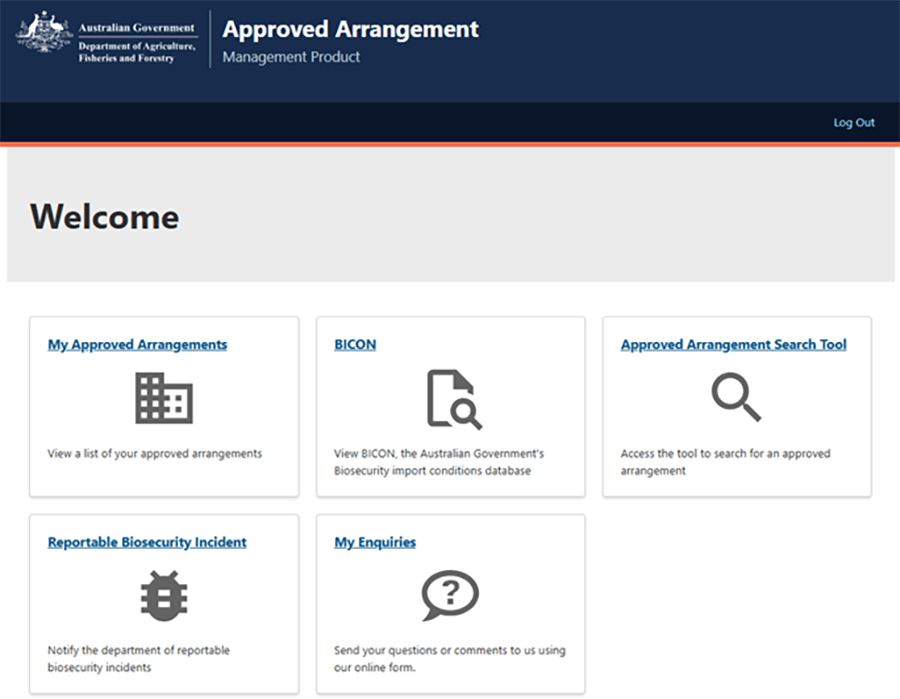
AAMP is an online tool to view and update your arrangement details. It minimises the need to email us, simplifying and modernising arrangement administration.
AAMP is targeted to AA Managers and site contacts of current approved arrangements. It provides individual AA specific information for those people responsible for the approved arrangement. Access is not available to anyone not listed with the department as an AA Manager or site contact.
Who can use AAMP
AAMP is available for use by all BIPs operating under an approved arrangement (under Chapter 7 of the Biosecurity Act 2015). Individuals listed as the AA Manager or contact persons for an arrangement can register to use AAMP, including accessing the relevant arrangement details.
If the AA Manager or site contacts recorded with the department are not employed by the arrangement holder, email aa.canberra@aff.gov.au for assistance with updating the approved arrangement details.
Broker approved arrangements (Class 19)
Only the AA Manager can update approved arrangement details in AAMP.
Site contacts have view access only.
Non-broker approved arrangements (Classes 1-15)
The AA Manager and all site contacts can view and update approved arrangement details in AAMP.
What can be viewed/updated in AAMP
The table below shows what details you can view and update in AAMP. Additional functionality is planned and will be released in future updates.
Changes in AAMP take effect immediately (exception is consent to publish – see table below).
You can only view the AAs you are listed as an AA Manager or site contact for.
Applications, variations, suspension and revocations cannot be made via AAMP.
| AA details in AAMP | Update available – Broker | Update available non-Broker | Notes |
|---|---|---|---|
| Legal entity name | NO | NO | To update the legal entity name visit Changes and variations to approved arrangements. |
| Business name | YES | YES | |
| ABN/ACN | NO | NO | To update the ABN/ACN visit Changes and variations to approved arrangements. |
| Email for receiving biosecurity directions | NO | YES | |
| Consent to publish AA details on dept website | NO | YES | Changes appear on the next business day after the change has been made. |
| Physical address | YES | Selected classes only | Updates can be made where the approved arrangement is approved for mobile classes only 2.41, 10.2, 10.6, 12.1, 12.2, 12.3 and 43.1. For all other AAs visit Changes and variations to approved arrangements. |
| AA Postal address | YES | YES | |
| AA status (e.g. approved, suspended) | NO | NO | To update the status of an AA visit Suspending or revoking approved arrangements. |
| AA classes | NO | NO | To add or remove classes from an visit Changes and variations to approved arrangements. |
| Contact persons | AA Manager only | YES | |
| AA Manager | NO | YES | For class 19 AAs visit Variations, changes, suspensions and revocations to class 19 approved arrangement. |
| Accredited persons | Remove only | NO | Applies to class 19 AAs only. To add accredited persons, visit Variations, changes, suspensions and revocations to class 19 approved arrangements. |
| Legislative notices (e.g. notice of approval) | View only | YES | Can also download notices. |
How to use AAMP
Before registering for AAMP, you must:
- Be listed with the department as an AA contact person (AA Manager or Site contact) for an AA. If you currently receive departmental emails about an AA, you are likely already recorded as an AA contact person.
- Register or sign in to the TradeClear using the email address recorded in your AA contact person details.
Install the latest version of a multi-factor authentication (MFA) application on your mobile phone. You may already have an MFA application installed on their mobile phone to access other services, for example internet banking. To ensure secure and controlled access to AAMP, we urge all AA Managers and site contacts use individual email addresses rather than shared or generic company/organisational emails.
AAMP User Guides
User guides are available to assist you in signing up, logging in and update in AAMP.
Downloads
- AAMP User Guide - AAMP Overview (PDF 1.0 MB)
- AAMP User Guide - AAMP Overview (Word 1.0 MB)
- AAMP User Guide - Managing contacts (PDF 483 KB)
- AAMP User Guide - Managing contacts (Word 749 KB)
If you have difficulty accessing these files, contact us for help.
Further information
For more information email aa.canberra@aff.gov.au. To help us direct your query correctly, please include "AAMP' in the email subject line.